Free · GPLv2 or later · WordPress block theme
Docsmith
A WordPress block theme built for one job: pages that are read, and re-read, in order to get something done. Documentation, handbooks, internal wikis, release notes — the writing people arrive at with a question and leave with an answer.
Where to get it
Docsmith is finished and free, and it is not in the WordPress.org theme directory yet. It is built, tested and packaged, and it is going to the directory, where every theme is read by a volunteer reviewer before it is published — a queue that can take weeks. This page will carry the download and the directory link the moment there is one.
There are no installs, ratings or reviews to report, because it has not been published anywhere. When there are, they will be on this page with the date they were read.
What it is for
Most themes are designed for a home page. Documentation is not read that way — it is entered halfway down, from a search result, by someone who is stuck. Docsmith is built around that reader.
- A narrow measure. Body text is set to a 42rem column, which is roughly the line length that stays comfortable over a long page. Tables and code get a 64rem wide setting when they need the room, so the measure does not have to be widened for everything to accommodate one table.
- Code is first-class content. Code blocks, inline code and preformatted text are styled rather than inherited, and they scroll sideways on a phone instead of pushing the whole page wide.
- Reference tables that stay readable. A header row that reads as one, real cell padding, and horizontal scroll instead of an overflowing layout.
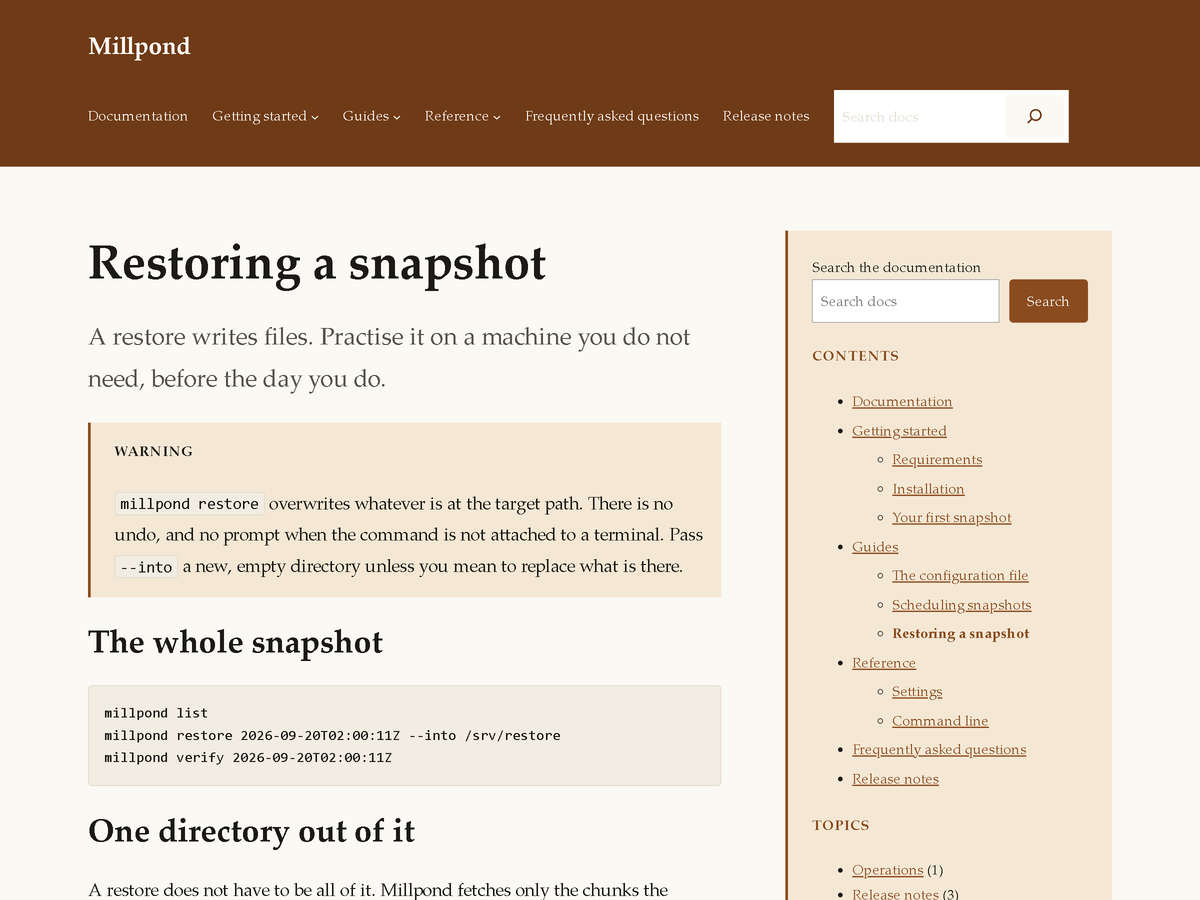
- A sidebar that is the contents. The documentation template puts your page list and a search box beside the text, so the reader who arrived halfway down can see where they are.
Templates and parts
Eight block templates, all editable in Appearance → Editor. Six of them WordPress picks automatically — the index, a single post, a page, an archive, search results and a 404. Two you choose by name on the page you are editing:
- Documentation page (with sidebar) — the page list and a search box beside the text. Available on pages and posts.
- Wide page (no sidebar) — the full measure, for the page that is mostly a table. Available on pages.
Three template parts carry the furniture: a Header, a Footer, and a Documentation sidebar. Edit a part once and every template that uses it follows.
Patterns
Five block patterns, so the pages that every documentation site needs are a starting point rather than a construction job. Insert one and edit the text.
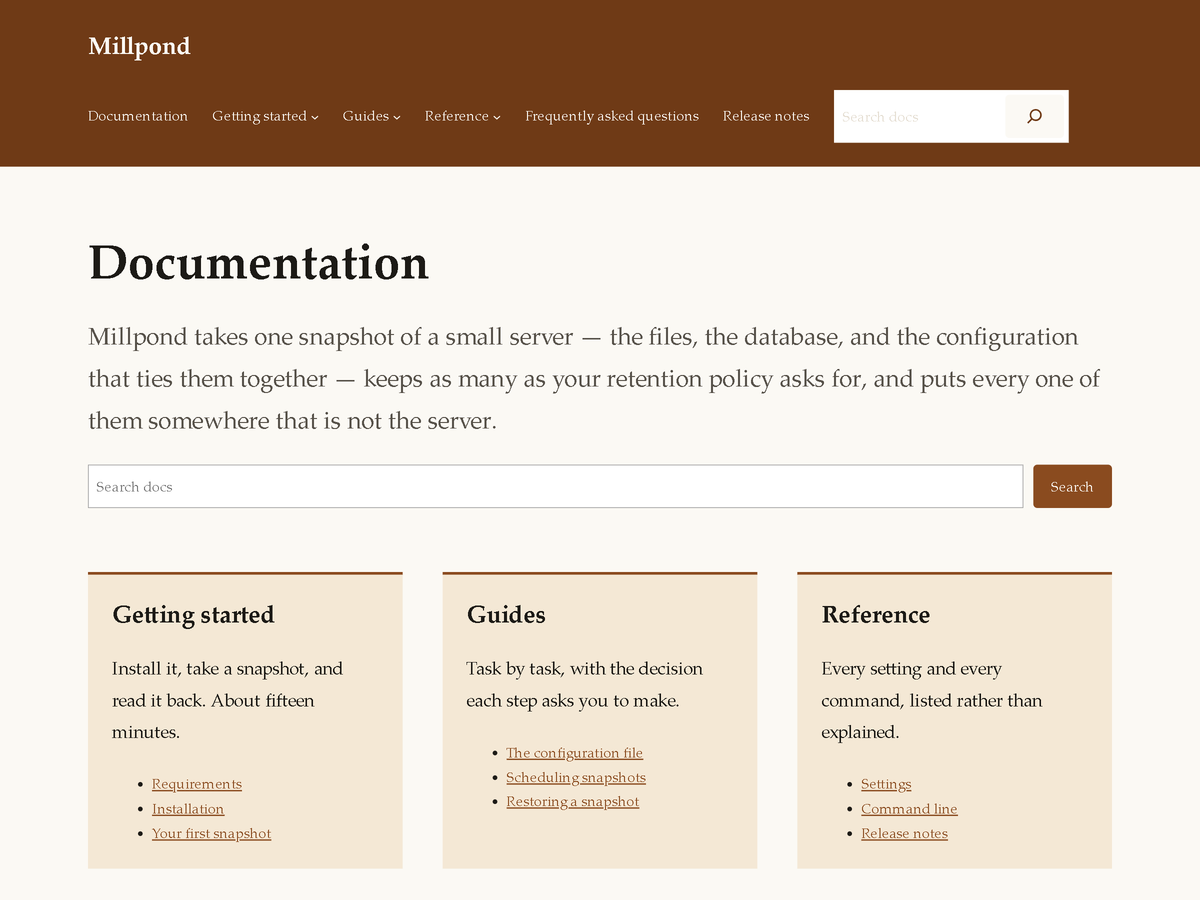
- Documentation home — a landing page: a one-line summary, a search box and three columns of sections.
- Callouts (note, warning) — labelled in words, not by colour alone, so they still read for someone who cannot see the colour.
- Reference table — a settings table with the header row and column widths already right.
- Install steps — a numbered procedure with code between the steps.
- Changelog entry — a dated release with grouped changes.
The two looks
Two style variations ship with the theme. Switching between them is one click in Appearance → Editor → Styles, and it repaints the whole site.
- Docsmith, the default — a warm off-white page, a system serif for text, and a rust accent. Built for prose that is read through.
- Console — a cooler palette and a system sans-serif face, for API and command-line reference, where pages are scanned for one line rather than read through.
Changing the colour
The colour that makes the theme recognisable is the header and footer band, the tint behind the sidebar and the section cards, and the coloured edge on callouts. None of it is hard-coded: each is a named entry in the palette, so one edit in Appearance → Editor → Styles → Colors changes every place it appears.
| Name | Default | What it paints |
|---|---|---|
| Band | #6f3a16 | The header band, the footer band and the mobile menu overlay. |
| Panel | #f4e8d5 | The documentation sidebar, the home page section cards, and callouts. |
| Accent | #8a4b1f | Links, buttons, and the coloured edge on cards and callouts. |
| Base | #fbf9f4 | The page. |
| Contrast | #1c1a16 | Body text and headings. |
| Surface | #f2ede2 | Code blocks and other raised panels. |
| Muted text | #57524a | Captions, metadata and secondary lines. |
| Border | #ddd5c6 | Rules, table lines and input outlines. |
Every pair of these that ends up as text on a background is checked against the WCAG AA contrast ratio of 4.5:1 before the theme is packaged — in what theme.json declares, and again in what the templates actually paint, under both variations.
What it does not do
Stated plainly, because the things a theme leaves out are usually discovered after it is installed.
- No bundled fonts, and no fonts fetched from anywhere. Type is set in the reader's own system faces. Nothing is downloaded from a third party when a page loads, and there is no font licence to check.
- No stock photography and no icon set. The theme ships no images at all apart from its own screenshot.
- No external requests of any kind. No CDN, no analytics, no phone-home. A page built with Docsmith talks to your server and nothing else.
- No plugin required, and none bundled. Every block used in the templates and patterns ships with WordPress.
- No custom post types, blocks, shortcodes or roles. Switch the theme off and your content is still ordinary WordPress content.
- It does not claim the accessibility-ready tag. It is built to the guidelines — a skip link, landmark regions, a visible focus outline, headings in order, scoped table headers, callouts labelled in words, and
prefers-reduced-motionhonoured — but that tag is awarded by the theme review team's own audit, and Docsmith has not been through it.
Requirements and licence
- WordPress 6.6 or later. The theme ships a
theme.jsonat version 3, which WordPress 6.6 introduced. Tested on WordPress 7.1. - PHP 7.4 or later.
- Licence: GPLv2 or later, the whole package, gnu.org/licenses/gpl-2.0.html. Everything in it was written for it; it bundles no third-party code, fonts or artwork.